
SHARED · FULLY MANAGED
Start with 3 sites
For freelancers and smaller portfolios. Shared resources, fully managed by Webcore, with Git, staging, WP-CLI and site-scoped SSH/SFTP where enabled.
WORDPRESS FOR DEVELOPERS & AGENCIES
Build, deploy, stage, troubleshoot and recover client WordPress sites through one operating model, with Git, WP-CLI and site-scoped SSH/SFTP where enabled, plus dedicated infrastructure when your workloads need it.
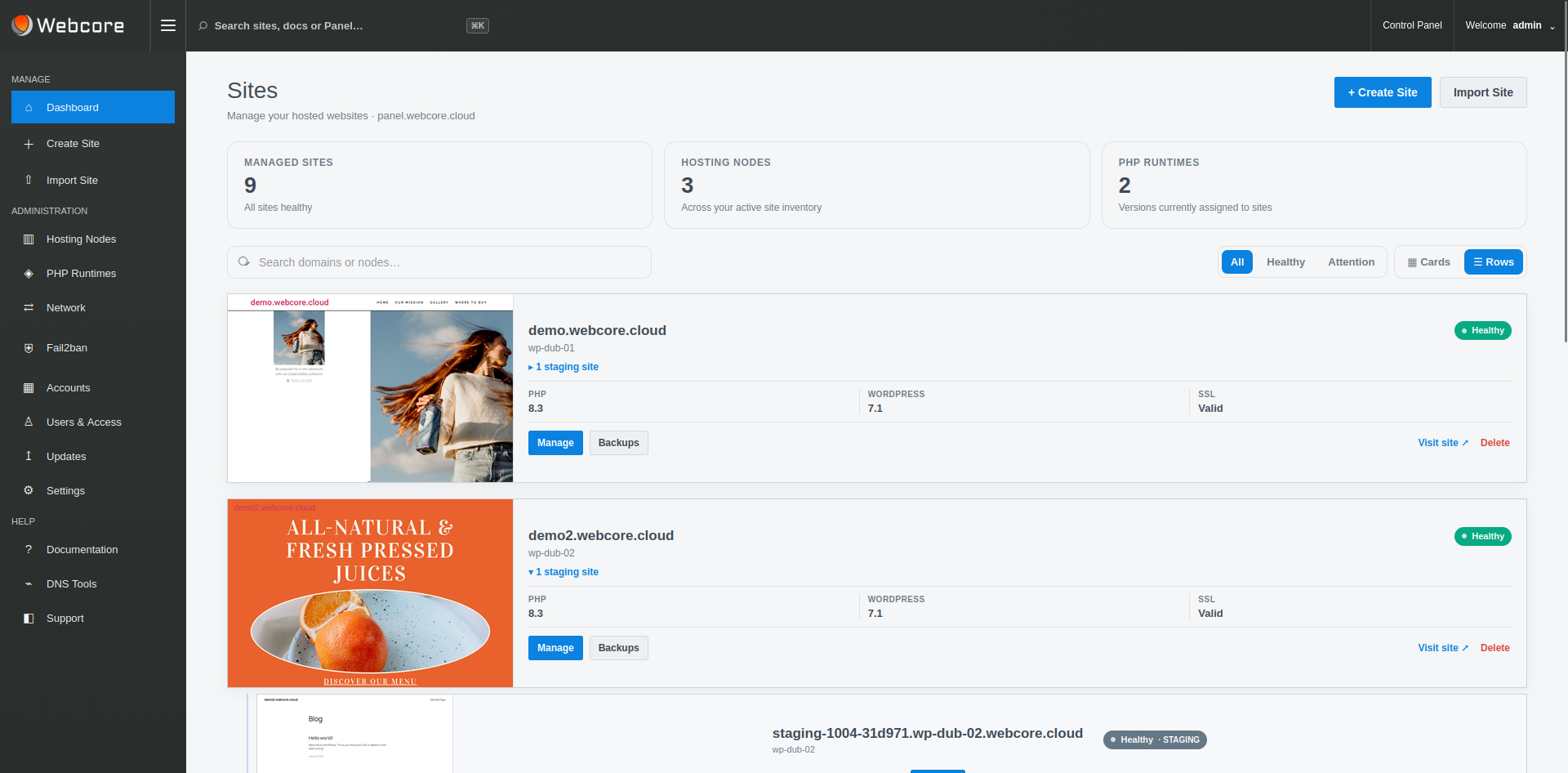
DEVELOPER HOSTING
Choose shared resources or dedicated resources for larger portfolios and demanding projects. Both options are fully managed by Webcore and accessible in the same Panel.
A BETTER DIVISION OF RESPONSIBILITY
Developers need more than a basic hosting dashboard, but that does not mean every developer needs unrestricted infrastructure access. Webcore exposes site, deployment and troubleshooting workflows at account level, with key-based SSH/SFTP available for enabled sites and separate permissions for dedicated-node administration.
Git deployment, WP-CLI, staging, files, PHP controls, scheduled tasks, logs and performance tooling live alongside WordPress.
Create or import sites, delegate access and use a consistent operating model across the WordPress estate your team manages.
Move to dedicated Webcore-managed nodes when dedicated resources, isolation or additional node-level visibility becomes important.
GIT & WP-CLI
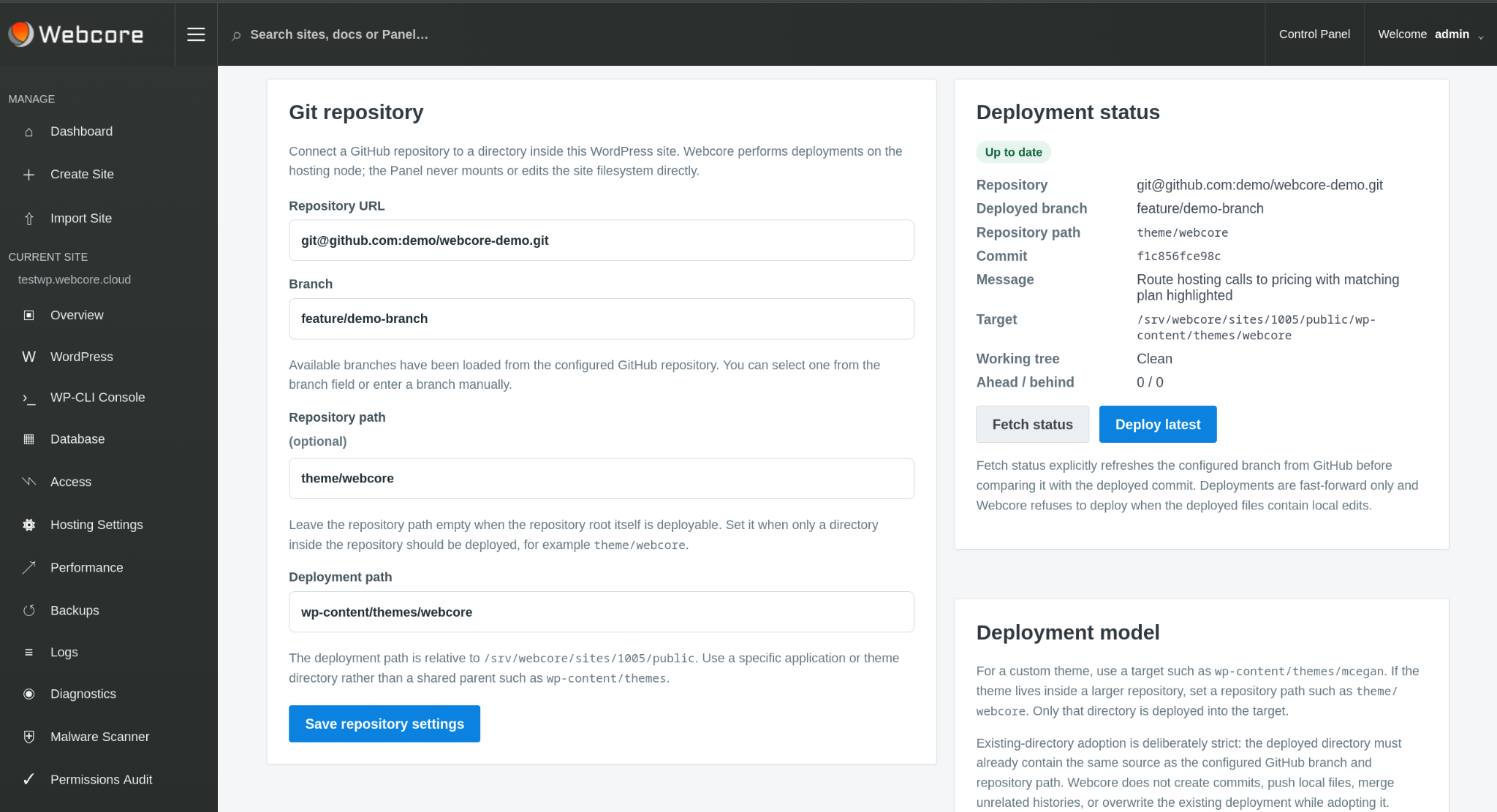
Connect a Git repository, choose the branch and repository subdirectory, and deploy into the intended site path without placing repository metadata in the live web root.
WP-CLI provides command-line WordPress administration for scripting, maintenance and development workflows without reducing everything to a browser-only interface.
PREVIEW & STAGING
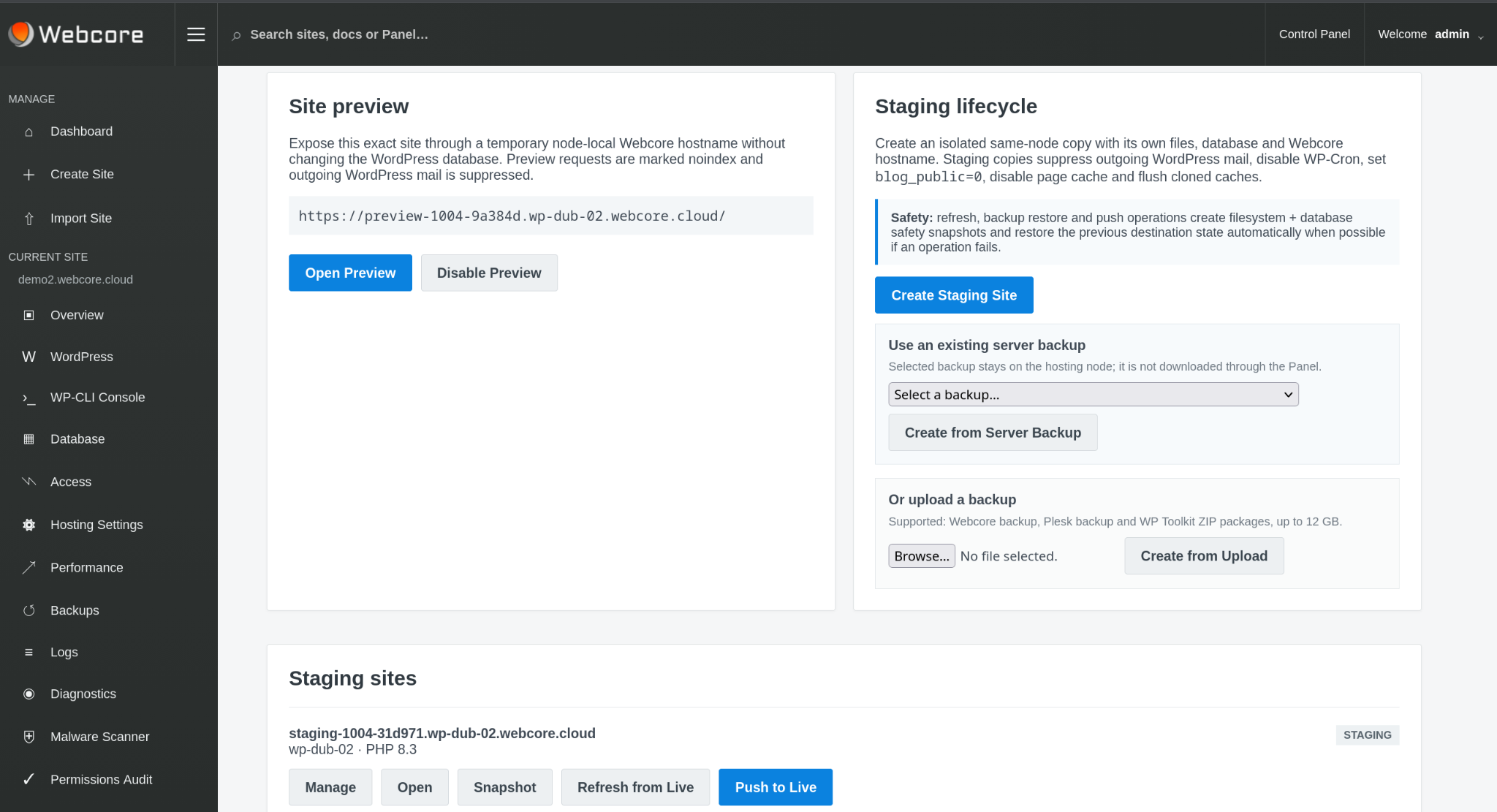
Create an isolated staging site with its own files and database. Refresh it from live, snapshot it before risky changes and push back when the work is complete.
Staging safety controls suppress outgoing WordPress mail, disable WP-Cron, discourage indexing and disable page cache by default.
PHP & PERFORMANCE
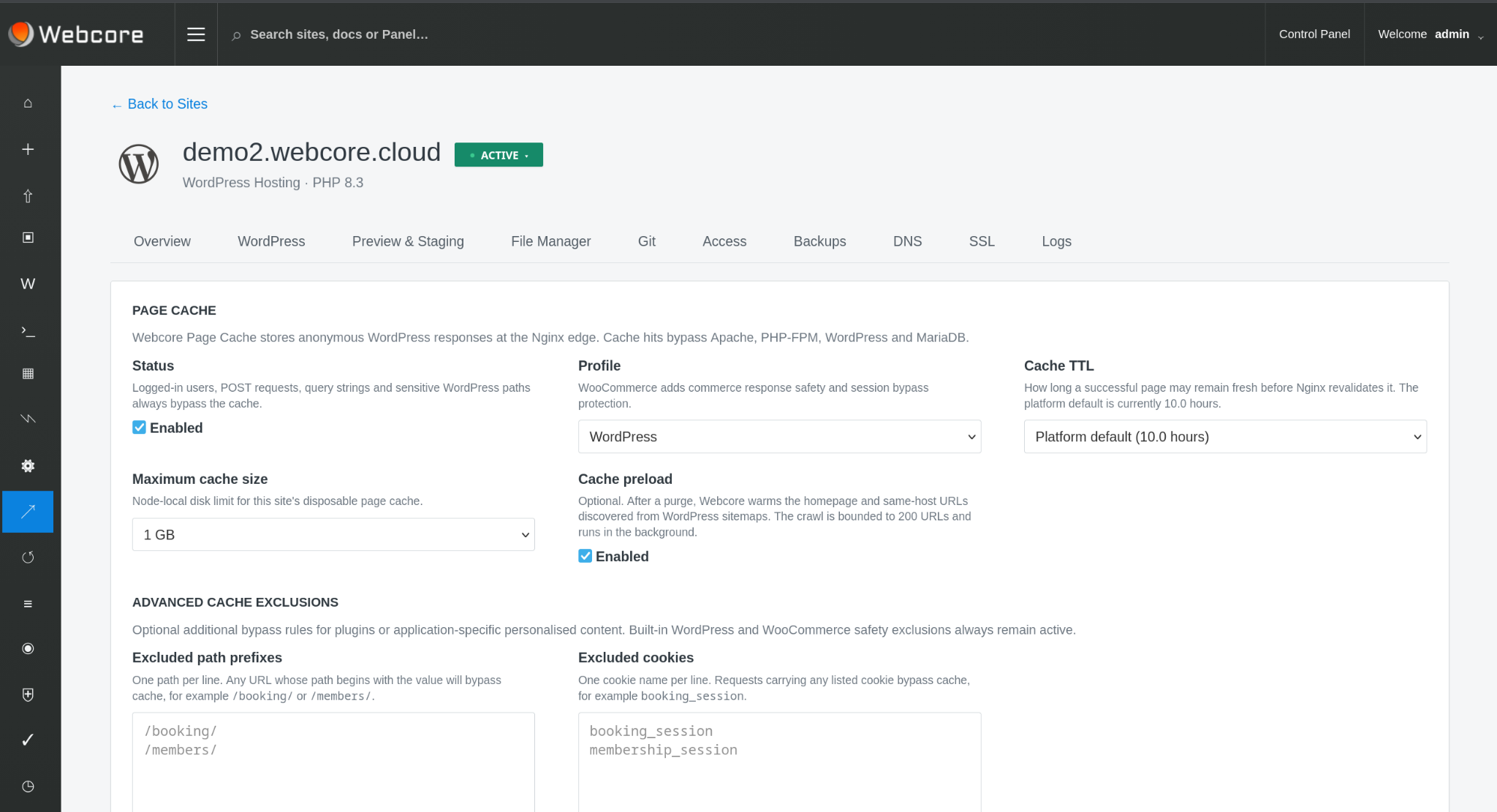
Choose supported PHP settings at site level and use Nginx page caching and Redis object caching to tune the application where appropriate.
Site SSH provides a managed command-line environment for your WordPress work. Dedicated-node administration remains a separate permission and service responsibility.
DEVELOPER TOOLKIT
Use WordPress from the command line for maintenance, automation and development workflows.
Inspect application and hosting signals directly when troubleshooting.
Inspect and work with site files from the Panel for everyday file operations.
See WordPress scheduled tasks and manage custom scheduled work from the Panel.
Scan sites, review findings and use quarantine and remediation workflows when suspicious code is found.
Create a known recovery point before deployments, upgrades or other risky changes.
CONTROLLED SITE MOVES
Authorised agency accounts can move managed sites between eligible hosting nodes using the Panel's controlled migration workflow rather than rebuilding the site manually.
Site migration is a separate entitlement: ordinary site access does not automatically grant permission to move workloads between infrastructure.
DEDICATED NODES
Agencies with larger estates or specific isolation requirements can run sites on fully managed dedicated hosting nodes. Webcore continues to manage the hosting platform, so adding dedicated resources does not mean taking on server maintenance or losing managed features. Site-scoped SSH/SFTP is available where enabled on shared or dedicated hosting. Panel node permissions remain explicitly scoped, so dedicated infrastructure can expose additional operational controls without granting access to other customers or the Webcore control plane.
Keep selected client workloads on infrastructure allocated to your operating model.
Use explicitly assigned runtime and node controls for dedicated infrastructure; site SSH/SFTP access remains separately governed.
Fleet administration, platform updates and wider infrastructure remain Webcore responsibilities unless you are licensing Webcore Panel for your own infrastructure.
SSH & SFTP
Use an SFTP client to transfer site files, or connect over SSH for command-line work with WP-CLI. Access uses your SSH key and is confined to your site, without exposing other customers’ files or granting server administration.
SSH/SFTP must be enabled by platform and node policy, then activated for your site with a public key.
Connect with SSH or SFTP →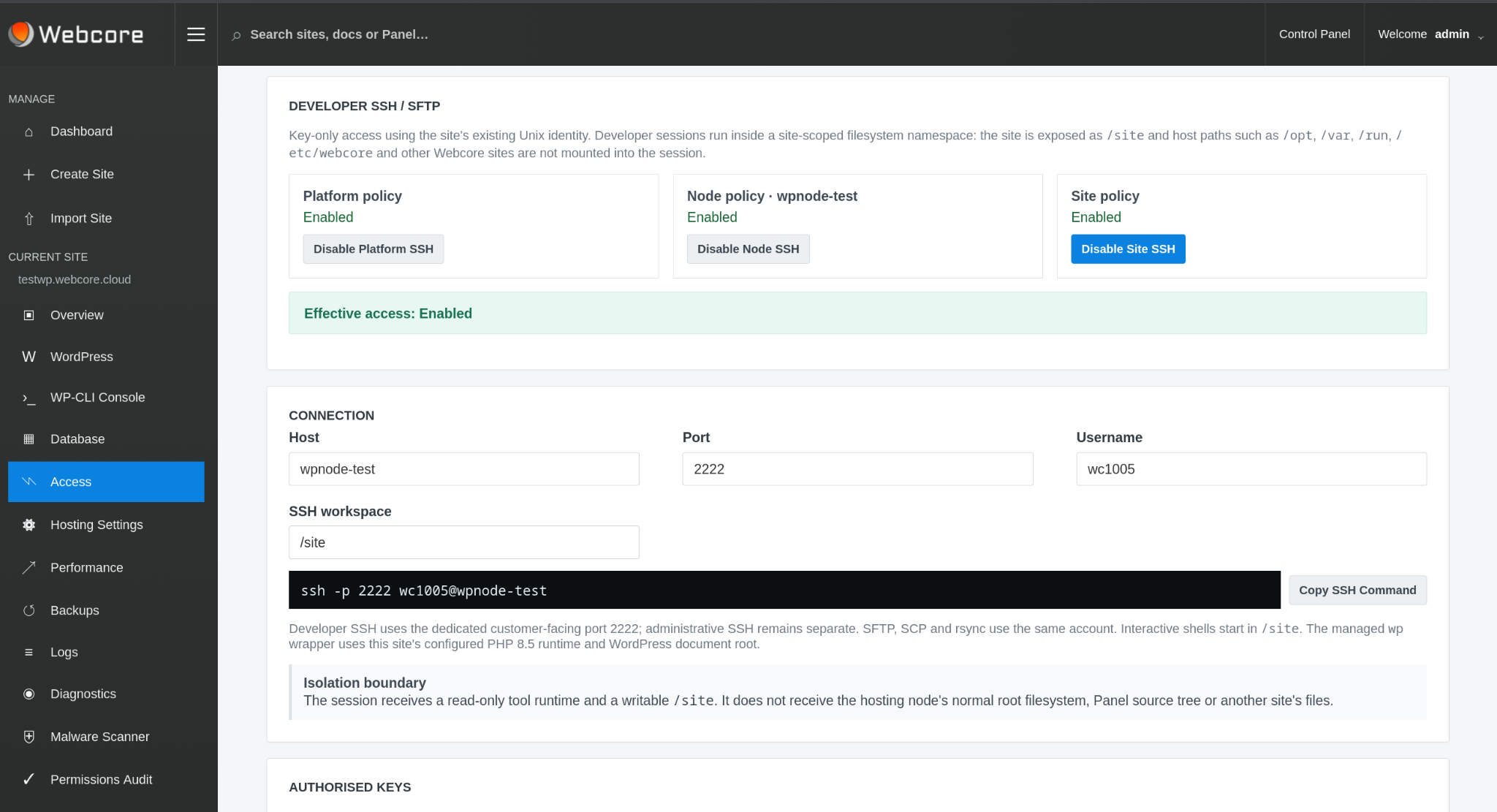
DEVELOP ON WEBCORE
Start hosting your next project, or talk through your workflow with an engineer if you need help choosing.